Chat Cards
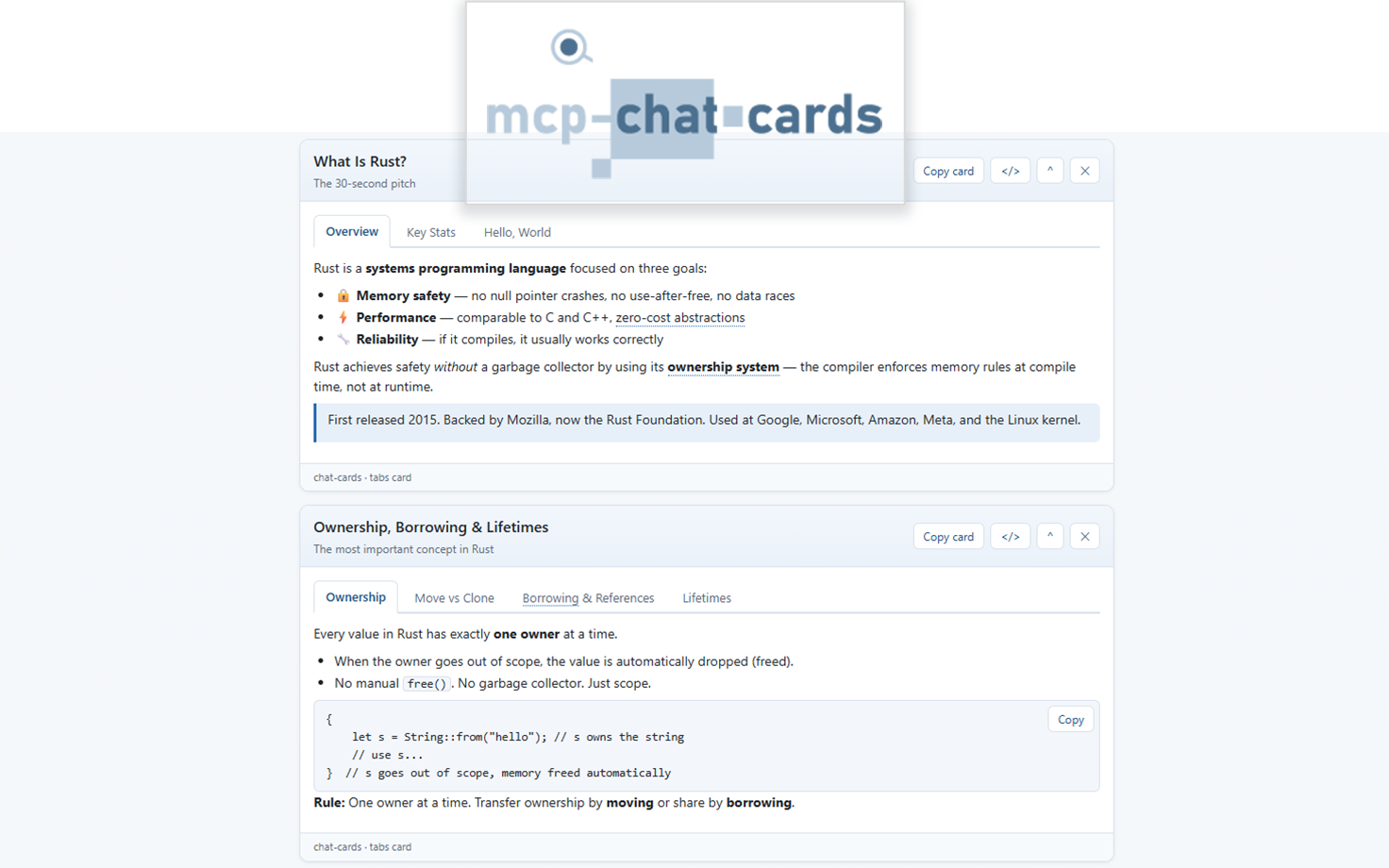
Interactive card deck for GitHub Copilot canvas. Instead of walls of text, the agent explains things visually with a live deck of interactive cards: tab boxes, tables, SVG charts, forms, collapsible sections, numbered outlines, rendered markdown documents, and short video clips. Forms are two-way: submitting one sends the values back to the conversation as the agent's next prompt, so a card can gather context and steer the session as easily as it presents information.
The extension is a port of an MCP server, which is similar; but renders the cards inline of the conversation, instead of rendering the HTML in a separate panel.

What is in the deck
| Action | Card |
|---|---|
create_tab_card |
Tabbed views of one subject (markdown, text, HTML, or code per tab with copy buttons) |
create_table_card |
HTML table from explicit rows or loosely delimited raw text (delimiter auto-detected, URL cells become links) |
create_chart_card |
SVG bar, line, pie, or donut chart with legend and a collapsible data table |
create_form_card |
Form whose submission becomes the next conversation prompt |
create_reveal_card |
Collapsible show/hide sections with show-all/hide-all controls |
create_list_card |
Nested sequential outline numbered 1., 1.1., 1.1.1. |
create_markdown_card |
Render a markdown document as one card: H1 becomes the title, H2 sections fold into reveals |
create_video_card |
HTML video player for a short clip (direct file URL, data:video/*, or blob:) |
update_card |
Re-render an existing card in place |
remove_card / clear_cards |
Take cards off the deck |
list_cards |
See the deck (the user may have reordered or removed cards) |
get_form_responses |
Read form submissions, newest first |
Every card keeps the signature interactions of the MCP version: a "Copy card" button that
copies the card as a standalone HTML document, a </> toggle that shows the card's own
HTML source, a collapse toggle, drag to reorder cards in the deck, tutor terms that show
tooltips after a hover dwell, and model-defined right-click actions that send prompts back
to the conversation ({{selection}} in an action prompt is replaced with the user's
selected text). The deck has a light and a dark theme.
Example action inputs
create_table_card:
{
  "title": "JavaScript array methods",
  "headers": ["Method", "Purpose"],
  "rows": [
    ["map", "Transform each item"],
    ["filter", "Keep matching items"],
    ["reduce", "Fold items into one value"]
  ]
}
create_form_card:
{
  "title": "Study preferences",
  "promptTemplate": "Teach {{topic}} with {{style}} examples.",
  "fields": [
    { "name": "topic", "label": "Topic", "required": true },
    { "name": "style", "type": "select", "options": ["practical", "theoretical"] }
  ]
}
When the user submits the form, the filled template is handed to the agent as the next
prompt. If the handoff fails, the card reveals the prompt text with a copy button, and the
agent can always read submissions later with get_form_responses.
Installation
Requires Node.js 18.17 or newer and a GitHub Copilot client that supports canvas extensions (such as GitHub Copilot CLI).
Drop this folder at ~/.copilot/extensions/chat-cards/ for user scope, or
in a repository at .github/extensions/chat-cards/ for project scope. Then
install dependencies from inside the copied folder:
# User scope
cd ~/.copilot/extensions/chat-cards

# Or project scope, from the repository root
cd .github/extensions/chat-cards

npm install
npm install pulls the extension's single dependency (@github/copilot-sdk).
Then register the extension/ folder with your Copilot client as a local
extension, start a session, and ask the agent to open the Chat Cards canvas.
Reload extensions in the GitHub Copilot app, then open the chat-cards canvas in a conversation.
How the port maps to the MCP server
| MCP server | Canvas extension |
|---|---|
MCP tools (create_tab_card, ...) |
Canvas actions with the same names and input shapes |
| MCP Apps iframe / embedded HTML resource | Live canvas page served on 127.0.0.1 |
Form submit posts ui/message to the host |
Form submit calls session.send({ prompt }) |
| Card HTML per tool result | Deck state pushed to the page over SSE |
src/cards/* + src/util/* (TypeScript) |
cards-core.mjs (dependency-free port, testable without the SDK) |
Deliberate differences:
- Stricter HTML sanitizing. Tab and reveal content can be markdown, text, code, or HTML, like the MCP server, but where the server sanitizes HTML with a parser dependency, the extension rebuilds it against a strict tag and attribute allowlist: unknown or malformed tags render as visible literal text, attributes are re-emitted from scratch, and closing tags are balanced. A tab or section with no usable content is rejected with an error naming it, instead of rendering an empty panel.
- No file, archive, or web-fetch actions.
read_local_file,unpack_archive,fetch_reference,mirror_web_form, andsubmit_web_formstay MCP-only: a Copilot agent already reads files and pages natively, so it passes content inline (for examplecreate_markdown_cardtakes the markdown itself rather than a path). - No multi-part splitting. MCP hosts cap tool-result sizes, so the server splits large documents into parts. The canvas renders directly and needs no parts; the deck instead keeps at most 60 cards, dropping the oldest.
Folder layout
extension/
  extension.mjs           Canvas/session wiring, actions, local HTTP + SSE server
  cards-core.mjs          Card builders and rendering (no SDK import; unit-testable)
  copilot-extension.json  Plugin manifest for the awesome-copilot submission
  package.json            Extension package manifest
  assets/
    canvas.html           The canvas page (theme, card runtime, deck UI)
    preview.png           Screenshot used as the extension logo/preview
Security notes
- The card server binds to
127.0.0.1on an ephemeral port; every request must carry the per-canvas token, and request bodies are size-capped. - All model- and user-supplied text is HTML-escaped before it reaches card markup, and the markdown renderer emits only escaped text nodes.
- The canvas page loads no external scripts, stylesheets, or fonts.
- Prompts sent from the canvas (form submissions and context actions) are length-capped.
Development
The rendering core has no SDK dependency, so it can be exercised directly:
node -e "import('./cards-core.mjs').then(m => console.log(m.buildTableCard({ title: 'Demo', rows: [['a', 'b']] }).summary))"
To run the extension itself, follow Installation above.